
- How a Virtual Mailbox in New York Works
- The Legalities of a Virtual Mailbox in New York
- What a Virtual Mailbox Costs in New York City
Q: How does a virtual mailbox in New York work?
A: A New York virtual mailbox routes your mail to a real, staffed street address in the city. Staff scan each envelope and post it to an online dashboard, where you decide what gets opened, forwarded, or shredded. You never need to visit the location.
If you run a business in New York City without a storefront, your mail must go somewhere. Most founders default to a home address, but that address then shows up on state filings, invoices, and Google, impacting your privacy.
A virtual mailbox in New York gives you another option. With a virtual office solution, it’s a real commercial address in the city that receives your mail and shares it with you online, so you keep a professional presence in the city without the need to sign an office lease.
This guide walks through how a New York virtual mailbox works, and how to set one up correctly.
How a Virtual Mailbox in New York Works
A virtual mailbox starts with getting a physical office address at a commercial location, where staff at that address receive mail on your behalf. Instead of you driving over to collect it, they photograph the outside of each envelope and upload it to an online dashboard which you can view online.
From there, the flow is simple: receive, scan, decide. You log in to see what’s arrived and choose an action for each item.
Most virtual mailbox services, like those from Alliance Virtual Offices, let you request an interior scan of the contents, forward the piece to any address, hold it for pickup, or shred and recycle it.
CMRA vs. P.O. Box
A virtual mailbox is a Commercial Mail Receiving Agency, or CMRA, in the eyes of the U.S. Postal Service. That designation is what separates it from a P.O. Box, which is a locked compartment inside a post office.
A P.O. Box receives USPS mail only and reads as a box number, which means that most banks and state agencies won’t accept it as a legitimate business address.
Meanwhile, a CMRA is a staffed street address where mail and packages from USPS and private carriers, such as UPS and FedEx, are received. By contrast to a P.O. Box, a CMRA presents itself as a normal suite address.
Here’s a breakdown of the differences between the two mail options:
Uses and Limits
A virtual mailbox handles the parts of running a business that revolve around mail and presence: receiving correspondence, viewing it from anywhere, and listing a credible office address on your website and paperwork. This solution suits remote operators, home-based owners, and anyone who wants to keep their home address off public record.
A virtual mailbox isn’t built for walk-in customer traffic, nor does it replace a warehouse or a retail counter. If your business model depends on foot traffic, a mailbox alone won’t carry this.
Package handling is worth checking as you compare providers. A CMRA can sign for private-carrier deliveries, so many services accept UPS and FedEx parcels and notify you when something arrives, which works for founders who receive product samples, contracts, or checks.
For an out-of-state or overseas owner seeking a presence in New York, the scanning feature does the heavy lifting. You rarely need to be in the city to know what’s landed in your mailbox.
The Legalities of a Virtual Mailbox in New York
Using a virtual mailbox in New York is legal, as the framework governing it is federal, rather than local. But when you sign up for a virtual mailbox, you must complete USPS Form 1583, authorizing the CMRA to receive mail on your behalf.
The form requires two forms of ID and notarization under current USPS rules. Reputable virtual mailbox companies like Alliance will walk you through completing this form.
Read More: Virtual address vs. registered agent: what to know
The IRS and Your NY LLC
The Internal Revenue Service, or IRS, accepts a real street address for business filings and correspondence, and a CMRA address qualifies. You can typically use it as your mailing address on federal forms and list it as the business address on your Employment Identification Number (EIN) application.
Setting up a virtual business address for a Limited Liability Company (LLC) involves listing a commercial virtual address as your business or principal address on state paperwork. According to the New York State Comptroller, the city had 422,137 small businesses with fewer than 500 employees in 2023, and a large share of them operated without a traditional office. This is a well-worn path.
There’s another distinction worth being clear about: a virtual mailbox isn’t a registered agent. In New York, you must receive a service of process, and while the state uses the Department of State as the default agent for LLCs, a mail-scanning address doesn’t by itself fulfill a registered-agent role. Treat the two as separate needs.
What Banks Will and Won’t Do
Banks set their own address policies. Many will accept a commercial street address to open a business account, with a CMRA suite address reading as commercial rather than residential.
That said, some banks ask for additional verification or a utility-style document, and a few decline CMRA addresses outright. Confirm with your bank before you rely on your chosen address to open an account.
What a Virtual Mailbox Costs in New York City
Virtual mailbox pricing in New York depends on what you’re buying. A bare digital mailbox that only scans envelope exteriors sits at the low end.
A virtual office address at a staffed New York address that reads as a genuine business location sits higher, because you’re paying for the location and the complete service, not just the scanning service. With an Alliance Virtual Offices address, you can even add on-demand meeting rooms to your plan, should you ever need to host clients, conduct meetings, or have a quiet space for focus work.
Here’s how the cost of a virtual mailbox is typically broken down:
The included-versus-add-on split is where the real number lands. Base plans usually cover a set volume of scans and online management.
Forwarding adds postage on top, so a business that mails itself a lot of documents will spend more than the headline price.
Read More: Are These the Cheapest New York Virtual Offices?
Why New York Businesses Use One in 2026
Two forces push New York founders toward having a virtual mailbox: privacy and remote work.
When you register a business, the address you list becomes public. So, putting your home address on that record invites unsolicited mail, and it exposes where you live to anyone who searches the filing. Mail security is a real concern too.
In 2024, the U.S. Federal Trade Commission logged more than 1.1 million identity-theft reports and $12.7 billion in fraud losses, according to Experian. A monitored commercial office address takes your mail out of an unattended home box.
Remote work is the second force driving demand for virtual mailboxes. The Bureau of Labor Statistics found that in the first quarter of 2024, 35.5 million people teleworked or were paid to work at home, up 5.1 million over the year.
In many cases, remote working improves well-being, but having a fixed New York address gives distributed teams a stable point of contact, even when no one sits in one place.
There’s a credibility layer on top of both factors. Having a New York address on your proposals and website tells your clients, partners, and lenders that your business has a level footing in the market. This can influence whether a prospect returns a call or a vendor extends terms, and it’s hard to replicate with a home address in another state.
How to Set Up a Virtual Mailbox in New York
Setting up a virtual mailbox solution is simple when processed in the right order. Rushing the ID and notarization step is the most common way people stall. Here’s a step-by-step of the process:
- Choose your New York address. Pick a location and neighborhood that reflect your business goals. A Manhattan suite signals something different than an outer-borough address, for instance.
- Select a plan. Match the scan volume and forwarding options to how much mail you get. Don’t overbuy scans you won’t use.
- Complete USPS Form 1583. Provide two valid IDs and get USPS Form 1583 notarized. Virtual office providers often offer online notarization to speed this process up.
- Verify your identity and activate. Once the form gets cleared, your address goes live and mail starts routing to your dashboard.
- Update your records. Change the address on your state filing, EIN, website, invoices, and key accounts so mail flows to your new business address.
A Quick Provider Checklist
Before you commit, confirm the essentials. Check the following:
- Is the address a real staffed location rather than a PO Box?
- Does the virtual mailbox plan include the scan and forwarding volume you need?
- Can you book meeting space at the business address if a client ever wants to meet in person?
These questions will help you choose which virtual mailbox provider to go with.
NEXT STEPS: Explore NYC Virtual Mailbox Addresses
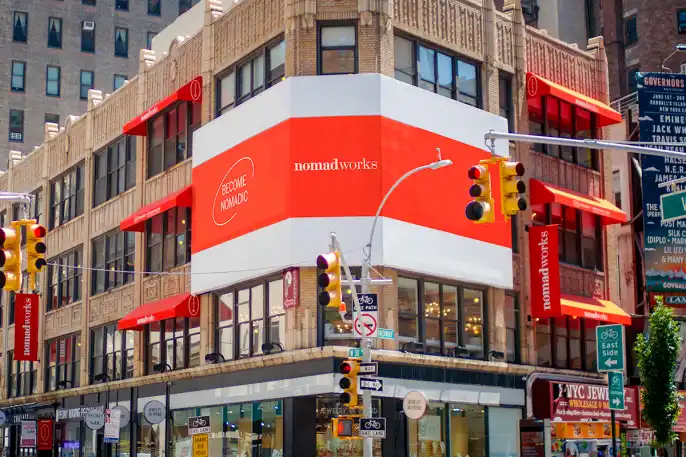
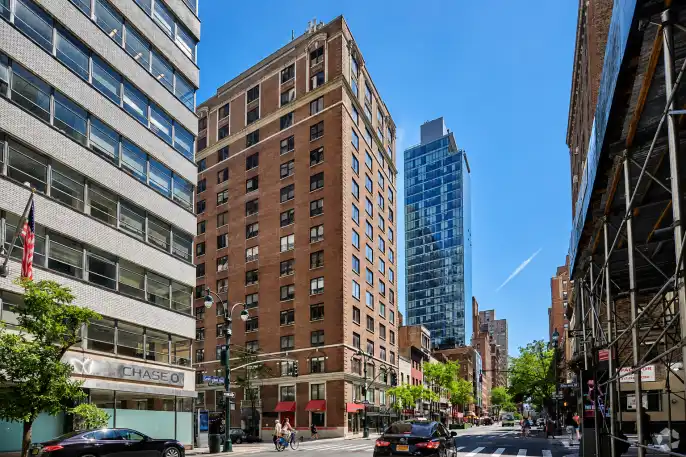
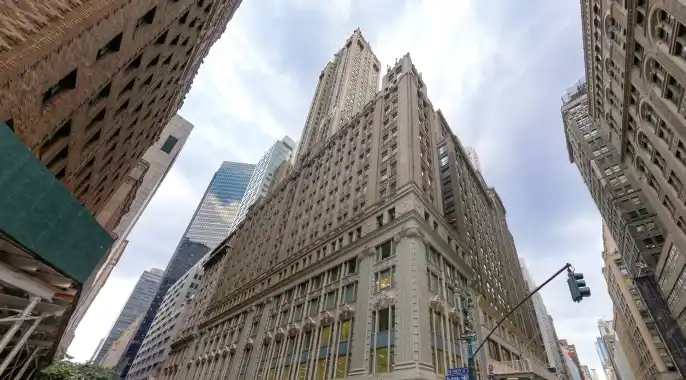
New York Locations You Can Use as Your Address
Each address below sits inside a real, staffed building with mail handling and meeting rooms on site. The neighborhood you pick changes how the address reads to your clients.




Unlock Our Current Virtual Office Offers
Enter your email below and we’ll send you the latest available promotions and monthly specials for Virtual Offices, Meeting Rooms, and Live Receptionists.
Getting Your New York Virtual Mailbox Set Up Right
A virtual mailbox in New York from Alliance Virtual Offices does several things well, giving you a credible city address, keeping your home address off public record, and sharing your mail online so you can manage it remotely from anywhere. Those benefits are why so many remote and home-based founders sign up for a virtual mailbox.
Keep the limits in view too. Complete USPS Form 1583 so the arrangement is legitimate, treat your registered-agent obligation as a separate item, and confirm your bank's address policy before you rely on it. Handling those three things will enable your business address to serve your business cleanly.
Alliance Virtual Offices operates staffed New York locations that provide a business address with mail handling and on-site meeting rooms you can book by the hour, starting at $49 per month. That combination matters when you want your business address to hold up as a genuine professional presence rather than just a mail drop.
Looking beyond the five boroughs? New York State locations covers the wider market, from Westchester to upstate.
Frequently Asked Questions
Is a virtual mailbox legal in New York?
Does the IRS accept a virtual mailbox address?
Can I use a virtual mailbox address for a New York LLC?
How much does a virtual mailbox cost in NYC?
Will banks accept a virtual mailbox address?
Further Reading