- What Is Hot Desking?
- Hot Desking Benefits: The Case for Flexible Seating
- Hot Desking vs. Hoteling: What’s the Difference?
Q: What’s hot desking?
A: Hot desking is a flexible office arrangement where employees share workstations rather than having permanently assigned desks, reducing office costs and supporting hybrid work schedules. Workers claim any available desk when they arrive, or book one in advance.
Many employees say their current office setup doesn’t support the way they work on a hybrid schedule. This has pushed organizations of all sizes to rethink their floor plans, and hot desking has become a practical solution.
Instead of every person owning or renting a desk in a workspace or coworking space that sits empty three days a week, hot desking is where workstations are shared. But hot desking means different things depending on whether you’re a founder building a small team, a freelancer looking for a professional place to work two days a week, or an HR manager drafting a return-to-office policy.
If you’re evaluating hot desking for your organization, or looking as an individual, you’ll find the data, trade-offs, and operational requirements in this guide.
What Is Hot Desking?
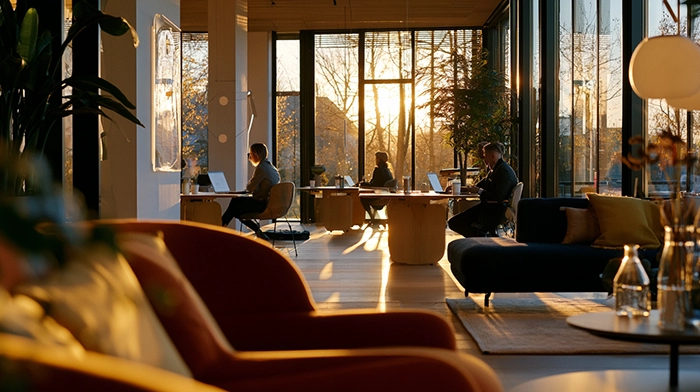
Hot desking is a flexible arrangement in an office environment or a coworking space where employees share workstations on a first-come, first-served or reservation basis, rather than having permanently assigned desks.
The term traces back to the naval practice of “hot bunking,” in which sailors on rotating shifts shared the same bunk, with one person’s sleep cycle ending just as another’s began. The office equivalent took hold in the 1990s as open-plan layouts and mobile technology made assigned desks harder to justify.
Hot desking has expanded since then. Today, it describes any shared-desk arrangement where no single employee has permanent ownership of a workstation. The hot desking definition is consistent across HR, real estate, and facilities management literature, referring to unassigned seating shared on a rotating or first-available basis.
There are two primary models in practice:
- Walk-in (first-come, first-served): Employees arrive and take any open desk. No reservation required. Common in coworking spaces and startups where schedules vary significantly.
- Reservation-based: Employees book a desk through scheduling software before arriving at their workspace. This practice is closer to office hoteling, though many organizations use the terms interchangeably for any non-assigned seating system.
How Hot Desking Works in Practice
A typical hot desking day can look like an employee arriving at their workspace, checking their desk availability app or scanning the floor for an open station. When they reach that desk, they plug in their laptop and get to work.
At the end of the day, they clear the desk completely, leaving behind no personal items, and wiping down surfaces or resetting equipment to default for the next user. It’s not guaranteed that they’ll sit at that workstation the following day; that’s the nature of hot desking.
Desk booking software makes the hot desking model scalable. Platforms like Robin, Skedda, and OfficeSpace provide visual floor maps, real-time availability, and booking management without requiring IT customization. According to ONEs Blog (2024), average office occupancy sits at only 40% on a typical workday, which means that most organizations are already paying for more desks than they use.
For individuals accessing hot desks through a coworking space rather than an employer-run office, the process is handled through the coworking provider’s platform, typically a day pass or membership that includes desk access.
Hot Desking Benefits: The Case for Flexible Seating
Cost Reduction
Hot desking has become a go-to option for businesses, thanks to its cost-saving advantages. ONES Blog also found that hot desking cuts office operating costs by up to 30% and reduces physical space by 15-25%.
For a company with 50 employees who each come in three days a week, choosing a hot desking model means you need roughly 30 desks instead of 50, and you’re paying for 40% less floor space accordingly.
Real estate is typically one of a company’s top three operating costs. Any model that sustainably reduces square footage requirements without reducing workforce capacity has a direct bottom-line impact.
Space Efficiency
Most traditional offices are dramatically underutilized. When 40% of desks are empty on any given day, assigned seating is an expensive fiction. Hot desking aligns supply with actual demand rather than theoretical headcount.
In 2019, 95% of office seating was assigned, and by 2022, that had already shifted to 81% assigned and 19% unassigned. This structural change is accelerating with remote and hybrid work adoption; the organizations that shifted models earlier are now operating with smaller, more efficient office footprints.
Flexibility for Hybrid Teams
Hot desking and hybrid work schedules were made for each other. An employee who works in the office two or three days per week needs a reliable place to work when they’re there, but rather than having a permanent workstation, a hot desk provides that without requiring an annual real estate commitment per seat.
About 60% of U.S. and Canadian companies already use desk sharing or hoteling in some form, according to a 2024 Archie report. This figure reflects that unassigned seating has become mainstream for hybrid-first organizations.
Cross-Team Collaboration
When employees sit in different areas each day, they interact with different colleagues. For organizations where cross-functional knowledge transfer matters, such as product teams, startups, agencies, and consulting firms, this incidental exposure to different team members is a measurable benefit, making the case for hot desking. Some team leaders deliberately use a hot desking model to break down departmental silos.
Scalability
With hot desking, a company can grow its headcount without proportional office expansion. If your team doubles but half your employees work remotely, hot desking absorbs that growth without needing to sign a new lease for twice the square footage.
Hot desking also converts a fixed real estate cost into a variable one. Teams that supplement a smaller office with coworking day passes during busy periods pay for peak capacity only when they want to use it.
Read More: The Ultimate Guide to the Best Coworking Spaces
Downsides of Hot Desking
Employee Resistance
Not every worker finds shared seating liberating. Many people perform best with a consistent, personalized workspace: a specific chair height, a preferred monitor setup, familiar surroundings. This is especially true for full-time employees who must come into the office several times a week.
Whether hot desking improves or damages employee satisfaction receives mixed responses. The most common complaint is loss of psychological ownership, the feeling that you don’t have a “home base” at work. Therefore, organizations implementing hot desking need to plan for resistance from a portion of their team.
Hygiene Concerns
Shared workstations are shared surfaces. The mitigation is straightforward: ensure every desk user cleans their workstations at the end of their workday, establish an enforced clear-desk policy, and schedule sanitization by facilities teams. This process requires operational commitment, not just a policy document.
Noise and Distraction
Open-plan hot desking environments can be noisy, with acoustic privacy consistently the top pain point cited by workers in hot desking setups. Organizations that implement hot desking without dedicated quiet zones, phone booths, or focus rooms typically see productivity complaints from employees doing deep work or taking client calls.
The noise problem is solvable, since phone booths and quiet zones are standard additions in well-designed coworking environments, but it adds cost and planning that need to be factored in.
Relationship-Building Challenges
Consistent physical proximity supports team cohesion in ways that are hard to replicate otherwise. Hot desking, particularly in larger organizations, can make it harder for new employees to build familiarity with their immediate team if they’re seated on different parts of the floor each day. Intentional team anchor days, where a department consistently uses the same area on specific days, partially address this.
Technology and IT Logistics
Hot desking only works smoothly if every desk has access to a reliable Wi-Fi connection, consistent hardware setups, and employees can access everything they need from any workstation via cloud tools and BYOD (Bring Your Own Device) policies.
For organizations still running significant on-premises infrastructure or requiring specialized hardware at specific workstations, the transition to a hot desk model takes IT planning.
Hot Desking vs. Hoteling: What’s the Difference?
“Hot desking” and “office hoteling” are often used interchangeably, but they describe different work environment arrangements:
- Office hoteling is reservation-based desk sharing where employees book a specific workstation in advance using a booking reservation system, analogous to booking a hotel room. You know exactly where you’ll sit before you arrive.
- Hot desking is typically first-come, first-served. You arrive and take any available desk. No advance reservation required.
Here’s a breakdown of the differences between the two:
In practice, many organizations run hybrid models, taking up most desks on a first-come basis with a handful of bookable workstations for meetings or longer work blocks. Coworking spaces often support both.
Read More: 9 Businesses That Can Benefit From a Virtual Office
Hot Desking Etiquette and Best Practices
The etiquette is consistent in a workspace, whether you’re implementing a hot desking model for your team or using a hot desk at a coworking space. Clear-desk environments only function when every person follows the same rules, which exist to protect the experience for everyone who sits down after you.
Here are some hot desking etiquette rules to follow:
- Clear your desk completely at the end of every day. No notebooks, charging cables, personal items, or post-its left on the desk. This enables the next person to use that desk the following day, starting fresh.
- Wipe down your workstation before you leave. Cleaning supplies are available in most managed work environments. Spending two minutes wiping down your desk keeps shared surfaces clean and provides a better environment for all users.
- Book in advance when a reservation system is available. If the workspace uses a booking platform, use it. Don’t show up and claim a booked desk, as that could make things awkward or uncomfortable for the person who reserved it.
- Release reservations you won’t use. “Ghosting” a booked desk (reserving it and not showing up) removes capacity for everyone. Cancel at least a few hours ahead.
- Respect noise levels. Take calls in designated phone areas or quiet booths. Signal that you’re in focus mode with headphones; it’s a universal “do not disturb” indicator in most open-plan environments.
- Use shared equipment as you found it. Reset monitor heights and positions. Clear print queues. Log out of shared devices.
- Bring your own headphones. Non-negotiable for open-plan work, as headphones can indicate you’re in focus mode and respects noise levels in shared environments.
Making Hot Desking Work for Your Team
For organizations implementing hot desking, the physical policy is only part of it. The infrastructure requirements include having a clear-desk policy that employees follow, desk booking software appropriate for your team’s size and workflow, personal lockers or storage for items employees can’t carry daily, and an IT environment built on cloud tools and a BYOD system.
Without these in place, hot desking creates friction rather than reducing it.
Rollout sequencing matters as much as the toolset. Organizations with a successful hot desk model typically pilot it with one team or floor first, gathering feedback for a few weeks, before adjusting desk ratios and quiet-zone allocations before expanding. In line with the flexible workspace conversation maturing, organizations that get it right treat hot desking as a designed system rather than a soft policy.
Get Your FREE Guide Today!
How to Start a Business in a Recession

Where to Find a Hot Desk Near You
Not every professional needs to implement hot desking in their own office. For freelancers, remote workers, and distributed team members, coworking operators maintain hot desk pools too.
Similar to how companies are implementing hot desking, workstations in coworking spaces become available on day passes or flexible memberships and are already fully set up with a reliable Wi-Fi connection, printing facilities, professional common areas, and amenities including phone booths. You book what you need, use it, and leave.
When comparing spaces, look at three things beyond price. First, location: a hot desk you’ll actually use is one near home or your client base. Second, the work environment: quiet zones, phone booths, and meeting rooms access determine whether the space supports client calls and focused work.
Third, flexibility of terms: day passes suit occasional use, while a monthly coworking membership becomes more economical once you’re working from the space more than a few days per month.
If you need a private space for client meetings on occasion, confirm the location offers bookable meeting rooms as well.
Does Hot Desking Work? Making Flexible Workspaces Work for You
With the right setup, culture, and expectations, hot desking works. The cost and flexibility benefit is real for hybrid teams; however, there are downsides. Intentional design makes this more manageable, such as having quiet zones for focus work, enforced clear-desk policies, and easy-to-use booking tools.
For individuals, hot desking has quietly become the default professional workspace model. You don’t need a lease or a permanent setup, but a reliable, professional place to work on the days you need it. That’s exactly what flexible coworking options are built to provide.
If you’re building a team and evaluating workspace models, the question you should be asking is whether your team’s work style and culture supports hot desking. For most hybrid organizations in 2026, the answer is at least a partial yes.
Browse coworking solutions from Alliance Virtual Offices across the U.S.
Frequently Asked Questions
What’s the purpose of hot desking?
What are the downsides of hot desking?
What are hot desking etiquette rules?
Is hot desking still relevant in 2026?
What’s the difference between hot desking and hoteling?
Further Reading