- What’s Included in a Training Room Rental
- How Training Room Rental Pricing Works in 2026
- Find a Room Near You
Q: How much does it cost to rent a training room?
A: Training room rental rates typically run $50–$200 per hour or $400–$1,500 for a full day, depending on the city, room capacity, and amenities. Serviced office providers often publish all-inclusive rates, including AV equipment, Wi-Fi, and setup, while marketplace platforms may add booking fees on top of the listed price.
Finding a training room for rent used to mean cold-calling hotel event coordinators or signing up for a coworking day pass you didn’t fully need. That model has changed, and today’s training room rental market spans dedicated learning centers, serviced office suites, hotel meeting packages, and on-demand platforms that are all available by the hour.
However, prices vary, inclusions vary more, and the fine print around cancellations and AV charges can catch teams off guard.
This guide walks through training room rental in 2026, what you can expect to be included, and how to evaluate and book a room before your team shows up.
What’s a Training Room Rental?
A training room rental is a short-term lease of a dedicated, classroom-style or boardroom-style space designed to support instruction, onboarding, workshops, and team development sessions.
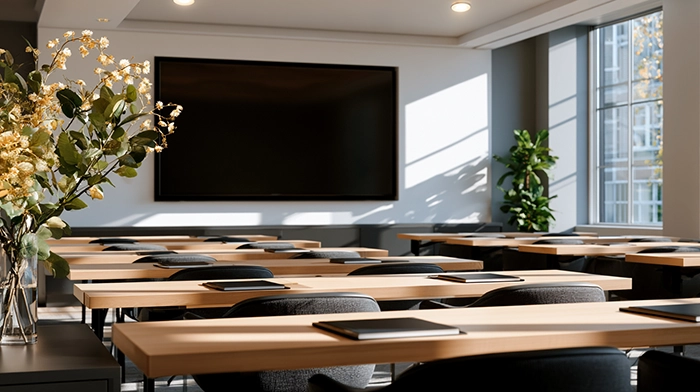
Unlike a standard conference room rental, training rooms are typically configured for one presenter and multiple participants, with features oriented toward learning: projectors or large displays at the front of the room, participant seating arranged in rows or a U-shape, and whiteboards or flip charts within reach.
Training Room vs. Conference Room vs. Event Space
The terminology overlaps, but the distinctions matter when you’re booking.
Training rooms usually include more display real estate than conference rooms; a projector plus a secondary monitor, for instance. They’re also more likely to include dedicated instructor positioning, such as either a podium, raised platform, or distinct “front of room” orientation.
Who Rents Training Rooms
The market for training room rentals includes:
- Corporate learning and development (L&D) teams that need overflow space beyond their own facilities
- Staffing and consulting firms running client onboarding sessions
- Small businesses without dedicated training infrastructure
- HR departments rolling out compliance training across distributed offices
- Independent trainers and coaches delivering certification programs
In the Americas, meeting room bookings are booming, having increased 22% in 2025, according to Cushman & Wakefield. Most of that growth is driven by teams that don’t occupy full-time office space.
Read more: On-Demand Meeting Rooms for Hybrid Teams
What’s Included in a Training Room Rental
When it comes to booking a training room, inclusions can vary more than pricing. To know what you’re getting, confirm the following checklist before booking, not after.
Capacity and Room Configuration
Advertised capacity numbers typically reflect the maximum legal or fire-code occupancy, not the comfortable working capacity. A room listed for 20 people in a theater configuration may seat 12 comfortably in a classroom layout with tables. Ask for the seated capacity in your specific setup, especially if participants need laptop or notebook space.
Room configurations you’ll commonly encounter:
- Theater / auditorium: Rows of chairs facing the front; maximizes headcount, limits individual workspace.
- Classroom: Tables and chairs in rows; the standard for training use.
- U-shape: Tables arranged in a U; works well for facilitated discussion alongside instruction.
- Boardroom: Central table; better for smaller, discussion-heavy workshops than for formal training.
AV and Technology
At a minimum, expect a large-format display (TV monitor or projector) and a wall or flip-chart whiteboard. Premium rooms add:
- Wireless screen-sharing (Clickshare, AirPlay, or HDMI adapters)
- Teleconference or video conferencing hardware (for hybrid sessions)
- Lapel or handheld microphones for rooms over 15 people
- Recording capability
Wi-Fi connectivity is standard with training room rentals, but worth confirming with your chosen provider. If you’re streaming video, ask whether it’s shared building Wi-Fi or a dedicated connection (for maximum security) and what the bandwidth ceiling is.
Setup, Teardown, and Staffing
Many serviced office providers include basic setup in the quoted rate, while hotels and conference centers often charge separately for furniture rearrangement and any AV technician time. Some venues offer a dedicated room assistant who manages setup, handles tech issues, and manages catering logistics, which is worth the premium for full-day sessions.
Add-ons to Anticipate
Booking a training room sometimes comes with extras, such as:
- Catering and beverage service: Usually priced separately; ask about minimum orders.
- Parking: Validated parking is common in suburban locations, less so downtown; always confirm.
- Printing and materials: Some locations offer on-site printing; others require you to arrive with all materials.
- After-hours access: Standard business hours are typically 8 AM–6 PM; evening or weekend sessions may carry a surcharge.
How Training Room Rental Pricing Works in 2026
The meeting room booking systems market is the software infrastructure underlying most on-demand booking platforms. According to Verified Market Research, it’s expanding from $9.8 billion in 2023 to a projected $18.4 billion by 2030. More supply has created greater pricing variability. Here’s how to read the numbers.
Hourly vs. Half-Day vs. Full-Day Rates
Most providers offer three rate tiers, with hourly rates carrying a premium per-unit cost but minimizing commitment. Meanwhile, half-day and full-day rates offer a discount for volume and are worth the upgrade when you’re running sessions of four hours or more.
Pricing by City Tier
Location is the single largest pricing driver. A comparable training room in a Tier 1 city, like San Francisco or New York, will run two or three times what the same room costs in a secondary market like Denver or Phoenix.
Here’s a breakdown of training room rentals per market:
What Drives Price Above the Base Rate
Published rates are often a starting point when booking training rooms. The final invoice often includes the following extras:
- AV surcharges: Flat fees for projector use, videoconferencing hardware, or microphone rental
- Catering minimums: Some venues require a minimum food and beverage spend to access certain rooms
- Service fees: Marketplace platforms add 10–20% on top of the venue’s listed price
- Cancellation penalties: Policies range from full refund with 24-hour notice to no refund after booking
Read more: Meeting Room Rental Rates: How Much Does It Cost in 2026?
Where to Book a Training Room Rental
Three sourcing channels dominate the market, each with distinct trade-offs.
Marketplace Platforms
Platforms like LiquidSpace, Peerspace, and Breather aggregate inventory from multiple providers, comparing meeting room options in a single search. But the trade-off is the service fee layer, with most bookings adding 10–20%. Inconsistent quality standards are also possible; a marketplace-advertised “training room” can mean anything from a dedicated learning center to a repurposed loft space.
Serviced Office Providers
Virtual office providers, like Alliance Virtual Offices, operate physical meeting rooms at hundreds of locations nationwide. Rates are typically all-inclusive, covering AV equipment, Wi-Fi, and furniture setup, and quality is standardized across locations.
You’re also booking meeting rooms directly without a platform fee. This channel works best for teams that book frequently or need to hire meeting rooms across multiple cities.
Hotel and Conference Centers
Hotels offer well-maintained spaces with built-in catering infrastructure. They work well for large cohorts (20+) and full-day programs requiring on-site meals. The drawbacks include minimum spend requirements, slower booking processes, and rates that are rarely negotiable for smaller groups.
Here’s a breakdown of what to look for when booking a training room:
How to Evaluate a Training Room Before You Book
Before you confirm with your chosen training room provider, there are eight questions worth asking:
- What’s the seated capacity in my specific configuration? (Not the maximum headcount)
- Is the AV equipment included or billed separately?
- What’s the Wi-Fi bandwidth, and is it dedicated or shared?
- Is setup and teardown included in the quoted rate?
- What’s the cancellation policy, and is there a grace period for rescheduling?
- Are there catering minimums I need to meet?
- Is parking available, and what does it cost?
- Is on-site support available if AV or tech issues arise mid-session?
Providers who answer these questions readily, without redirecting you to ‘it depends,’ are generally more reliable on event day.
Everything You Need to Grow Your Business

That’s what you get with a custom
Virtual Office Plan from Alliance
Select:
- Virtual Office
- Live Receptionist
- Virtual Phone
- Meeting Rooms
- Coworking
- Full Time Office
How to Book by the Hour with Alliance Virtual Offices
Alliance Virtual Offices operates meeting and training rooms at more than 500 locations across the United States and internationally. Rooms are available to book in hourly increments, with no membership required for one-time reservations.
Find a Room Near You
Use the location search on the Alliance Virtual Offices website to filter by city, state, or zip code. Each training room listing shows the room capacity, hourly rate, included amenities, and available time slots.
Review the Inclusions
Meeting rooms include Wi-Fi, furnishings, and access to shared building amenities in the quoted rate. AV equipment varies by location, so make sure to confirm what’s on-site at your specific address before booking.
Book and Confirm
Select your date, time, and duration at booking. You’ll receive a confirmation email with the meeting room address, parking instructions, and a point of contact at the location. Most Alliance Virtual Offices locations have on-site reception or building staff who can assist with access and setup upon your arrival.
Day-of Logistics
Arrive 10–15 minutes before your session to confirm room setup, test AV, and connect to the Wi-Fi. If anything needs adjustment, the on-site team can assist before participants arrive.
Booking a Training Room Rental Without the Marketplace Markup
Training room pricing has come down as supply has expanded, but the marketplace layer still adds a meaningful premium to most on-demand bookings. Booking directly with a serviced office provider eliminates that layer while giving you access to standardized meeting rooms in the markets where your team operates.
A cheaper room that charges separately for AV equipment, doesn’t include furniture setup, and has no on-site support can end up costing more in time and frustration than a transparent all-inclusive rate. Before you commit, know what’s included in your training room rental, confirm the configuration matches your session format, and read the cancellation terms.
For teams running training sessions across multiple cities, a consistent provider with locations in each market reduces the search-and-evaluate cycle to a single booking platform which, for recurring programs, is worth more than any per-session discount.
Training and meeting rooms are available to book by the hour with Alliance Virtual Offices. Find and book one today.
Frequently Asked Questions
What’s included in a training room rental?
Can I rent a training room by the hour?
What’s the difference between a training room and a conference room?
How do I find a training room rental near me?
Further Reading